


Control over assembly, crews and dismantling.
An operations workspace built around scaffolding. From surveys and checklists to crew scheduling, site documents and the next dismantling job.
Explore what we built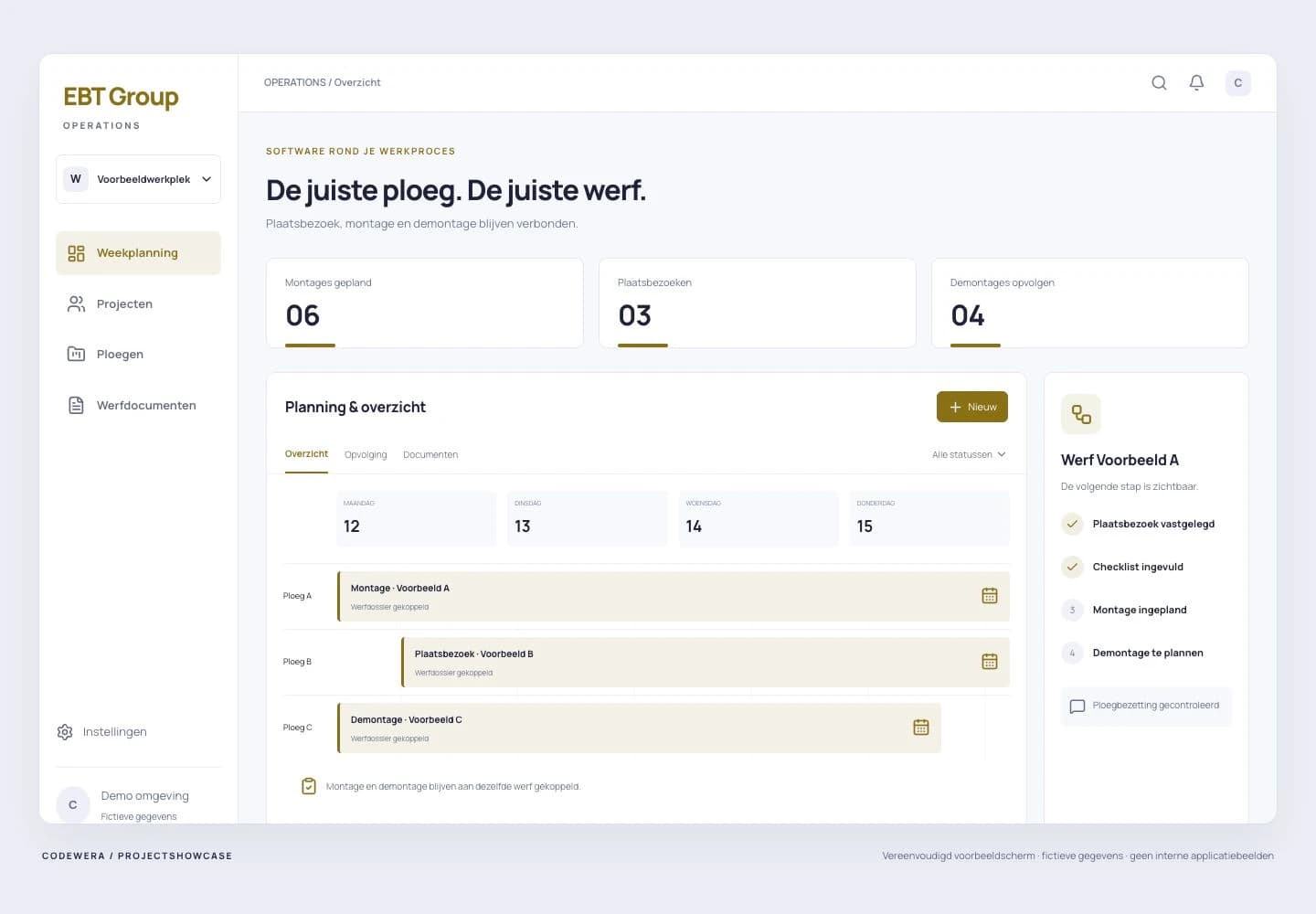
What works smarter now.
Not isolated features, but a connected digital workflow. These are the capabilities we built into the platform.
Scheduling conflicts made visible
Checks help prevent double-booking crews and site supervisors.
Dismantling stays on the radar
Follow-up work stays connected to the original assembly.
Site information brought together
Checklists, photos and documents belong to the project record.
The need behind the software.
Scaffolding does not stop once assembly is scheduled. The right crew needs to be available, site information needs to be complete and dismantling must stay in view. EBT Group needed software built around those dependencies.
One connected workflow.
We brought projects, checklists, scheduling and site documents into one workspace. Scheduling checks conflicts for crews and site supervisors. Assembly connects to a dismantling follow-up task, keeping the next phase visible without someone having to recreate it.
Site surveys, crew availability and the return for dismantling depend on one another. Separate planning makes those dependencies harder to see.
Planners work from the project, see availability conflicts and retain visibility over the next site phase.
Progress, step by step.
Model the scaffolding process
Surveys, assembly and dismantling each received a clear place in the project. Checklist responses and documents remain attached to the right site.
Make scheduling do more
The software checks overlapping assignments. Schedule changes are recorded so the team can follow the current position and changes.
Keep follow-up work visible
Connecting assembly and dismantling takes over a recurring administrative step. The planner still decides how work is carried out.
What was delivered.
- Operational project overview
- Daily and weekly scheduling
- Scheduling conflict checks
- Digital site checklists
- Connected assembly and dismantling follow-up
- Per-project photo and document management
Privacy and regulation considered.
Working at height requires organisational measures as well as competent checks. The software supports that process through recorded checklist responses, site documents and responsible users. Required checklist fields can guard progression to the next stage. A completed checklist is not evidence that scaffolding is technically safe or certified. Risk assessment, training and checks by competent people remain the organisation's responsibilities. The digital workflow deliberately preserves that distinction.
What next? Keep improving.
The operational core can be extended in stages. This showcase covers the verified scheduling and project workflow, not unconfirmed end-to-end automation of estimating, inventory or invoicing.
What could work better in your business?
In 30 minutes, we map one bottleneck, your starting point and a practical next step.
Book your free workflow scan